Write normally
Select text on desktop, or finish your text with a trigger such as gg on Android.
Fix grammar, change tone, translate, or shorten text in any app. One shortcut on Mac and Windows. One typed trigger on Android.
200 built-in AI rewrites included · no card · your own provider key is optional
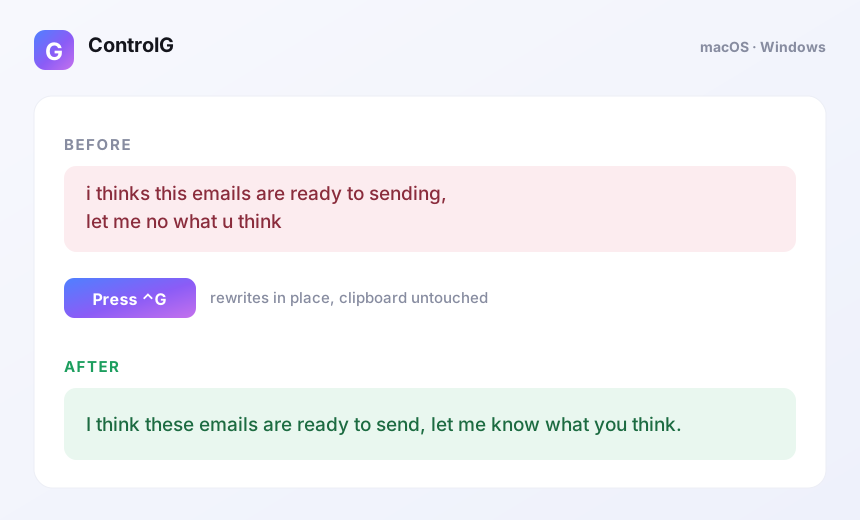
No chatbot tab and no copy-paste loop.
Select text on desktop, or finish your text with a trigger such as gg on Android.
Press your chosen hotkey. ControlG securely sends only the text you asked it to rewrite.
The rewrite replaces the original text in the same field, usually within a few seconds.
Use one active installation on each platform and release a slot simply by signing out.
Menu-bar app with direct Accessibility-based selection and replacement.
Download for MacTray app with a global hotkey and clipboard-safe replacement.
Download for WindowsAccessibility-powered typed triggers that work in standard editable fields.
Get AndroidThe built-in AI sends the text you explicitly trigger through our Azure service to Azure OpenAI. ControlG does not write that text to its database or logs. Bring-your-own-key requests go directly to your selected provider.
Read the privacy policyStart with 200 built-in AI rewrites. Pro removes the lifetime free cap while fair-use rate limits protect service quality.
No. Google sign-in enables 200 built-in AI rewrites. A Groq, Gemini, OpenAI, xAI, or compatible key is optional.
No. Built-in requests are processed transiently by the Azure backend and Azure OpenAI, then discarded. BYOK requests go directly to that provider.
Checkout gives you a CG-formatted code. Sign in with Google in the app and enter it once to bind Pro to your account.
It works in standard editable fields. Secure password fields and some custom editors intentionally block automated reading or replacement.